
rawsector


Routing · Processing · Recording
Start with apps and input devices, then connect processors, virtual and physical outputs, and recording. MixRelay brings them together in a single graph connected by cables.
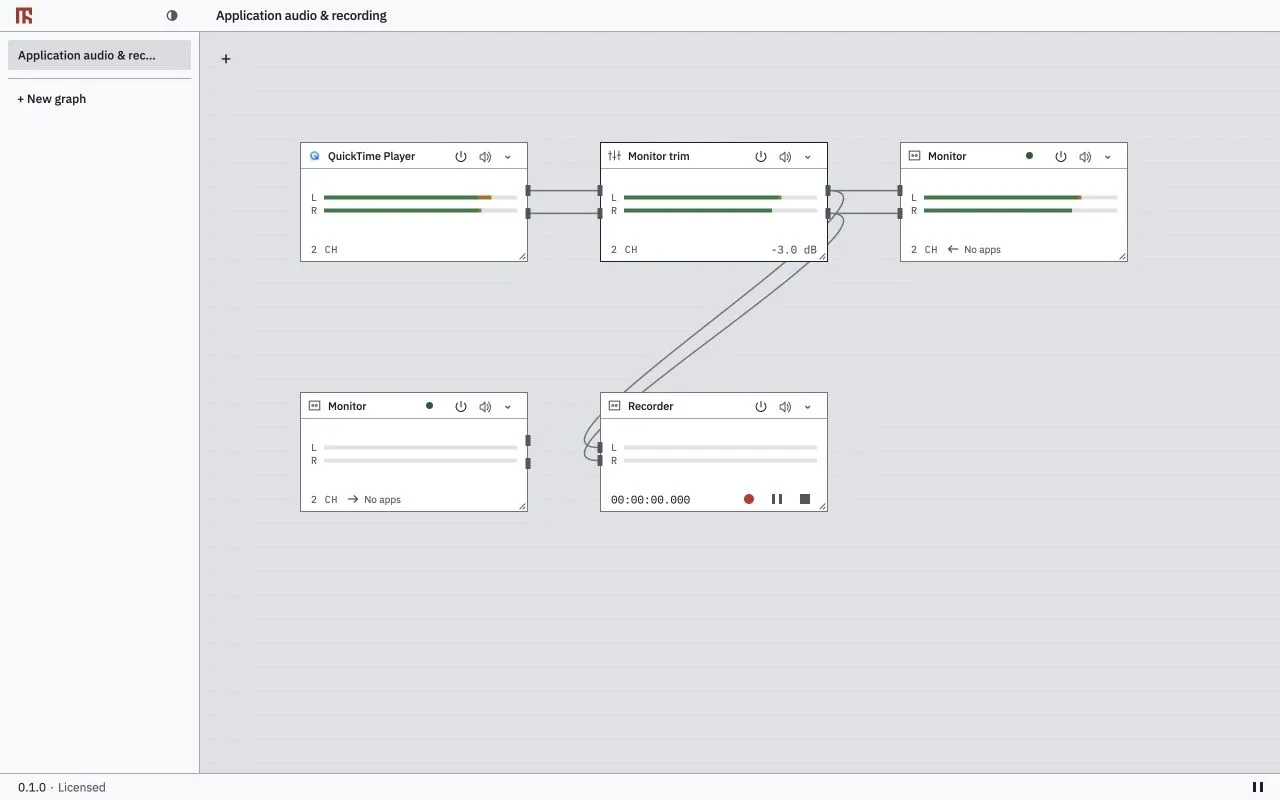
One workspace
Use running applications, audio input devices and MixRelay virtual devices as sources, then connect them to the outputs you want.
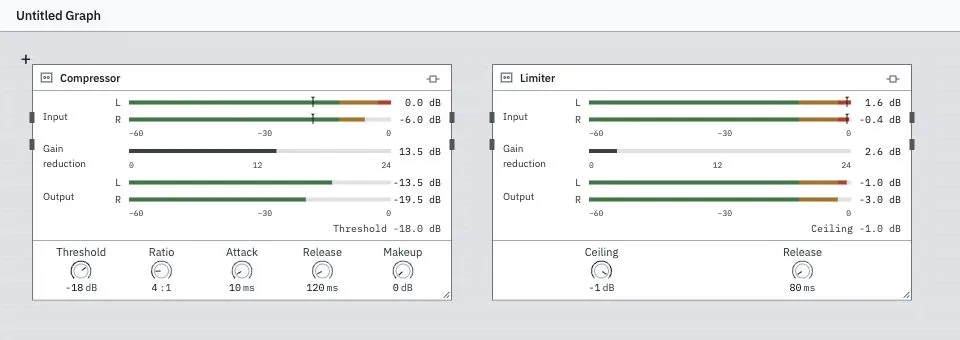
Place the built-in compressor and limiter, along with currently discovered audio plug-ins, in the signal flow.
How to use MixRelay
Use basic routing and recording for free without a time limit. The free virtual device supports up to 64 channels per direction.
Free features remain available on a device after its paid activation is removed.
US$39, excluding tax. List price: US$69.
A paid licence expands the limits on graphs, inputs, outputs, channel mappings, plug-ins and recording.
The licence covers one person on an unlimited number of their own computers. Deactivate a computer in the app when you stop using it.
A full refund is available within 30 days of purchase, with no questions asked. For support inquiries, we aim to send an initial response within two Korean business days.
In the recorder, choose a folder, WAV sample rate and bit depth, then control recording, pause, resume and stop.
In the macOS Stream Deck plug-in, connect Power, Mute, Volume and Recording actions to nodes in your graph.
Plug-in formats, channel connections and device availability may vary by operating system and by device or plug-in. Virtual devices do not automatically forward signals or change the system’s default device.